iPhone Family Location Sharing in 2026: Built-In Options and When You Need More
Your iPhone already has location sharing built in. So does your family's. The question most parents are asking in 2026 isn't whether to share locations. It's whether the tools they're already using are actually doing what they need.
This article covers what Apple offers natively, where it falls short, and what to look for when you need something more.
What Apple Gives You Out of the Box
Find My and Family Sharing
Apple's Find My app is the default starting point for iPhone family location sharing. Set up Family Sharing in Settings, add your family members, and you can see everyone on a shared map. It's free, it's private by Apple's standards, and it doesn't require any third-party app.
For a lot of families, that's genuinely enough. If everyone's on iPhone and you just want a rough sense of where people are, Find My does the job.
Where Find My Works Well
Find My is a good fit when all family members use iPhone, iPad, or Mac; when you want a simple map without setup complexity; when privacy matters and you trust Apple's ecosystem; and when you don't need alerts or check-ins, just a map you can open when you're curious.
Find My has a strong privacy reputation for good reason. Apple doesn't sell your location data. The app is quiet by default. That's worth something.
Where the Built-In Options Run Out
The All-Apple Requirement
Find My only works within Apple's ecosystem. If your teenager's friends include Android users, or your aging parent is still on a Samsung, they're invisible in Find My. That's a hard wall with no workaround.
No Named Places, No Alerts
Find My shows you a dot on a map. It doesn't know that dot is "school" or "grandma's house." It can't tell you when your teenager arrived at practice or when your parent left the doctor's office. You have to open the app and look.
That's a meaningful gap. Most parents aren't looking for an app to check repeatedly. They want to know something happened, automatically, without any effort on their part.
No Check-In Mechanic
There's no way in Find My for a family member to send a quick "I'm here, I'm fine" signal with their location attached. That kind of contextual update, location plus a short note, requires either a text message or a separate tool entirely.
The Third-Party Landscape in 2026
Life360
Life360 is the most widely used family location app, with about 95 million monthly active users. It offers always-on live location, driving reports, and place-based alerts. It's a capable product.
The tradeoffs are real, though. Life360 has faced documented criticism for selling granular location data to third parties, including data brokers. Its always-on design also creates friction with teenagers, who sometimes disable or work around it. Full-featured plans run $7.99 to $15 per month.
If you've tried Life360 and found it created more tension than it resolved, that experience is common enough to be a problem with the category itself, not your parenting.
Google Family Link
Google Family Link is free and works well in Android households. Location sharing is a secondary feature: useful, but without named-place alerts or check-in capability. If your family is iOS-first, it's not a natural fit.
Bark
Bark starts at $14 per month and focuses on AI content monitoring across social platforms and messages. It's not a location-awareness product. Families using Bark for content safety often still need a separate app for location, and the two can work alongside each other.
When You Need More Than a Map
The moment most families realize Find My isn't enough is usually a specific one. Your teenager was supposed to be home by 9. It's 9:15. You open the app, see a dot near a neighborhood you don't recognize, and now you're texting and calling.
That's a design gap, not a technology failure. A map without context puts all the work on you.
What actually helps is a system that tells you something without requiring you to ask. Arrival at school. Departure from practice. A quiet signal that says "all is well" without a phone call. That's the difference between a map and an awareness layer.
A Different Approach: Place-Based Awareness
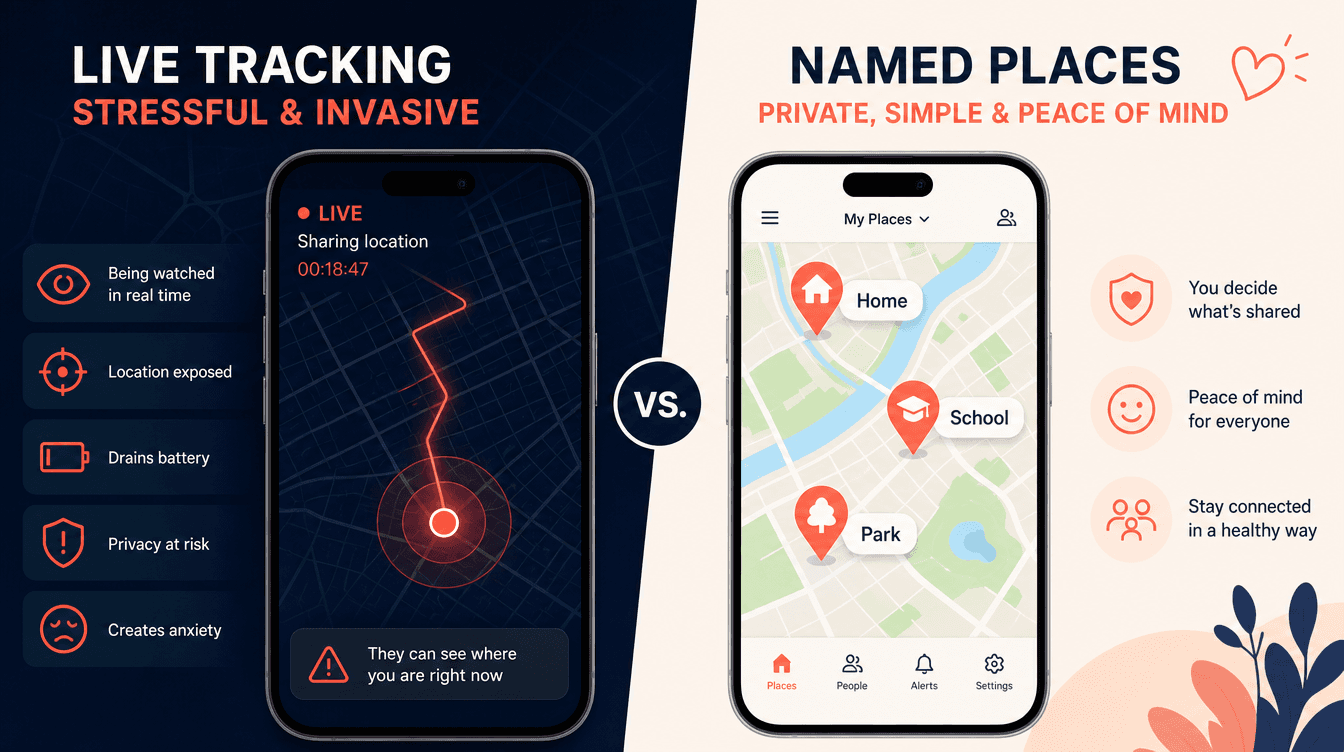
Some families are moving toward apps built around named places rather than live coordinates. The logic is straightforward: most of what you actually need to know is place-based. Did they get to school? Did they leave work? Did mom get home from her appointment?
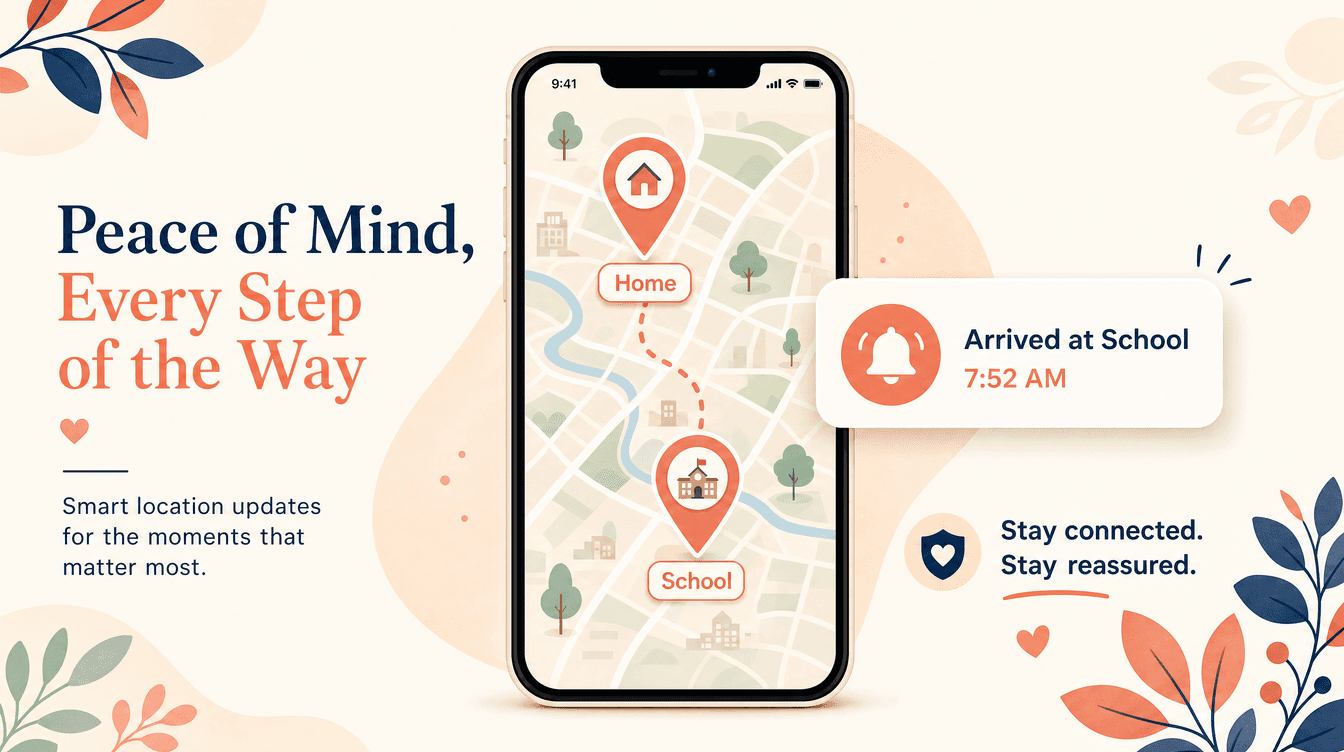
KinLink is built around exactly this model. Its Places Mesh is a self-building map of named, meaningful locations: home, school, work, a grandparent's house, anywhere your family actually goes. When a family member arrives at or leaves a saved place, you get an automatic alert. No one has to open the app. No one has to text.
That's a meaningful shift from both Find My (no alerts, no named places) and Life360 (always-on live tracking). The design philosophy is passive awareness: connected, not watched.
One-Tap Check-Ins
KinLink also includes a one-tap check-in request. You send a request, the other person responds with their location and an optional note. One interaction replaces three text messages and a phone call.
It's an unusual combination to find in one product: named-place alerts, check-ins with location plus optional note, and a design philosophy that explicitly rejects live surveillance.
Who It's Built For
KinLink is designed for two audiences in particular.
Parents of teenagers who want to stay informed without the tension that comes from constant live tracking. If you've read how to talk to your teen about family location apps, you know that how you introduce a safety tool matters as much as which tool you choose. Passive alerts are a much easier conversation than "I can see exactly where you are at all times."
Adult children caring for aging parents who live independently. Knowing your parent got home from a doctor's appointment without calling three times is a specific, real need. The Places Mesh handles it automatically.
Privacy and Security
Pairing in KinLink requires both an invite code and a Guardian-generated PIN. No silent connections are possible. The app is free at launch with no credit card required. The full experience, including Places Mesh, alerts, check-ins, and the activity log, is available from day one.
For a fuller look at how KinLink's approach compares to Life360's, this breakdown covers the differences honestly.
How to Choose the Right Option for Your Family
Here's a quick guide to matching needs to tools:
- Simple map, all-Apple household: Find My
- Driving reports, large family, okay with a subscription: Life360
- Content monitoring for teens: Bark (pair with a location app)
- Place-based alerts, passive awareness, no subscription: KinLink
- Android-primary household: Google Family Link
No single app is right for every family. The better question is: what does your family actually need to feel connected and safe, and what level of visibility is everyone genuinely comfortable with?
The Bigger Question Behind the Tool
The best location-sharing setup is one your whole family agrees to use. An app a teenager disables, or that a parent checks obsessively, isn't working, regardless of its feature list.
Place-based awareness tends to land better with teenagers because it's not a live feed. It answers "did they get there safely" without becoming a constant presence. When trust matters as much as safety, that distinction is worth taking seriously.
Frequently Asked Questions
Does Apple Find My work for iPhone family location sharing without any extra apps? Yes. If everyone in your family uses Apple devices, Find My with Family Sharing is a free, private option that requires no third-party app. Its main limitations are the all-Apple requirement, no named-place alerts, and no check-in capability.
What's the difference between Find My and an app like Life360? Find My shows you a map you have to open manually. Life360 offers always-on live tracking with alerts and driving reports. Life360 is more capable but costs up to $15 per month and has faced criticism for its data practices. Find My is free and private but entirely passive.
Can I get automatic alerts when my teenager arrives at school on iPhone? Not with Find My natively. You'd need a third-party app with place-based alert capability. Both Life360 and KinLink offer arrival and departure alerts tied to named locations.
Is there a free family location app for iPhone in 2026? Find My is free. KinLink is also free at launch, and the full core experience is available at no cost, no credit card required. Life360's free tier is limited; its full features require a paid plan.
What should I do if my family has both iPhone and Android users? Find My won't work across platforms. Life360 supports cross-platform use. KinLink launches on iOS first, with Android following later in 2026, so check current platform availability before committing to any app.
How do I share location on iPhone without it feeling like surveillance? Place-based alerts tend to feel less intrusive than live tracking because they only signal when something meaningful happens: an arrival or departure. Apps built around passive awareness give families the information they need without the constant-visibility dynamic.
Is KinLink available now? KinLink launches on iOS November 15, 2026, with Android following later in 2026. The waitlist is open now, and the full core experience will be free at launch with no credit card required.
The Short Version
iPhone family location sharing in 2026 starts with Find My, and for plenty of families, that's the right answer. But if you need alerts when someone arrives somewhere, a way to request a quick check-in, or a design that doesn't feel like surveillance, the built-in tools have real limits.
The right app is the one your family will actually use, comfortably, without resentment. That's worth thinking about before you install anything.
Join the waitlist: free at launch, no credit card required.

KinLink Team
KinLink
The KinLink team writes about family safety, trust, and the technology that helps families stay connected without the surveillance dynamic.