KinLink vs Life360: A Different Philosophy of Family Safety
Let's start with what should be said upfront: Life360 is a good product. It works. It has 95 million monthly active users. It has features that KinLink doesn't have and may never have. If you need crash detection, driving behavior scores, or AirTag integration, Life360 has those. KinLink does not.
The real difference is philosophy. Which approach to family safety fits your family matters more than which app has more features.
How Life360 thinks about family safety
Life360 is built around maximum visibility. The core product is a live map showing where every family member is at any given moment. From there, it extends into driving behavior (speed, hard braking, phone use while driving), crash detection, roadside assistance, and integrations with Apple AirTags and pet trackers.
The implicit philosophy is: more information is better. The more you know about where your family members are and how they're behaving, the more informed you are as a parent or caregiver.
That philosophy is coherent, and for some families, it's the right one. If your primary concern is a teenage driver and you want to know about speeding or hard braking, Life360 is built for that.
Life360 also costs money. Family plans start at $14.99/month.
How KinLink thinks about family safety
KinLink is built around a different idea: most of the time, you don't need to know exactly where your family member is. You need to know they arrived safely. You need to know they got home. You need to be able to request a check-in when you want confirmation.
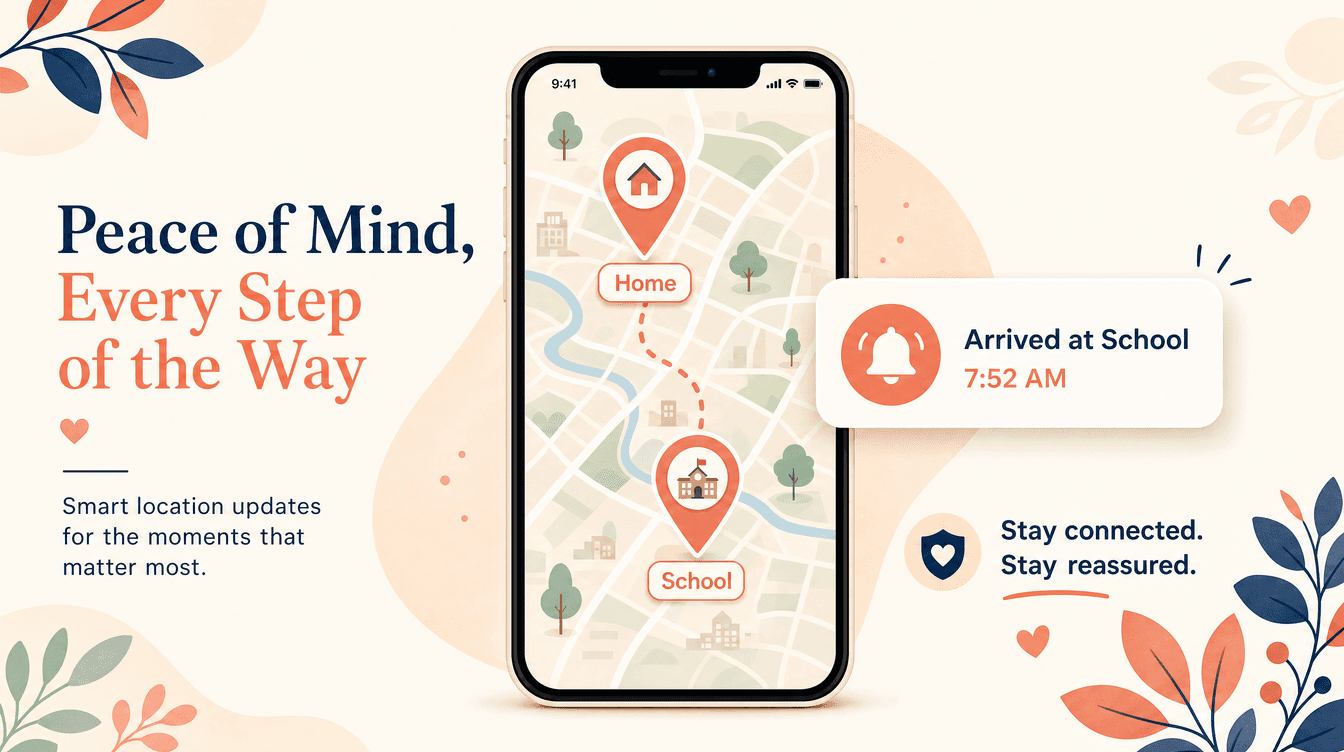
The core product is the Places Mesh: a growing network of named geo-fences that reflects your family's real world. When a family member enters or leaves a Place, you get a notification. Not a coordinate on a map you have to interpret; a plain-language notification that says Madison arrived at School. 8:22 AM.
Between those moments, the app is quiet. You don't need to open it. You don't need to watch a screen. The app is doing its job in the background and reporting to you when something changes.
KinLink launches free with no credit card required.
The key differences
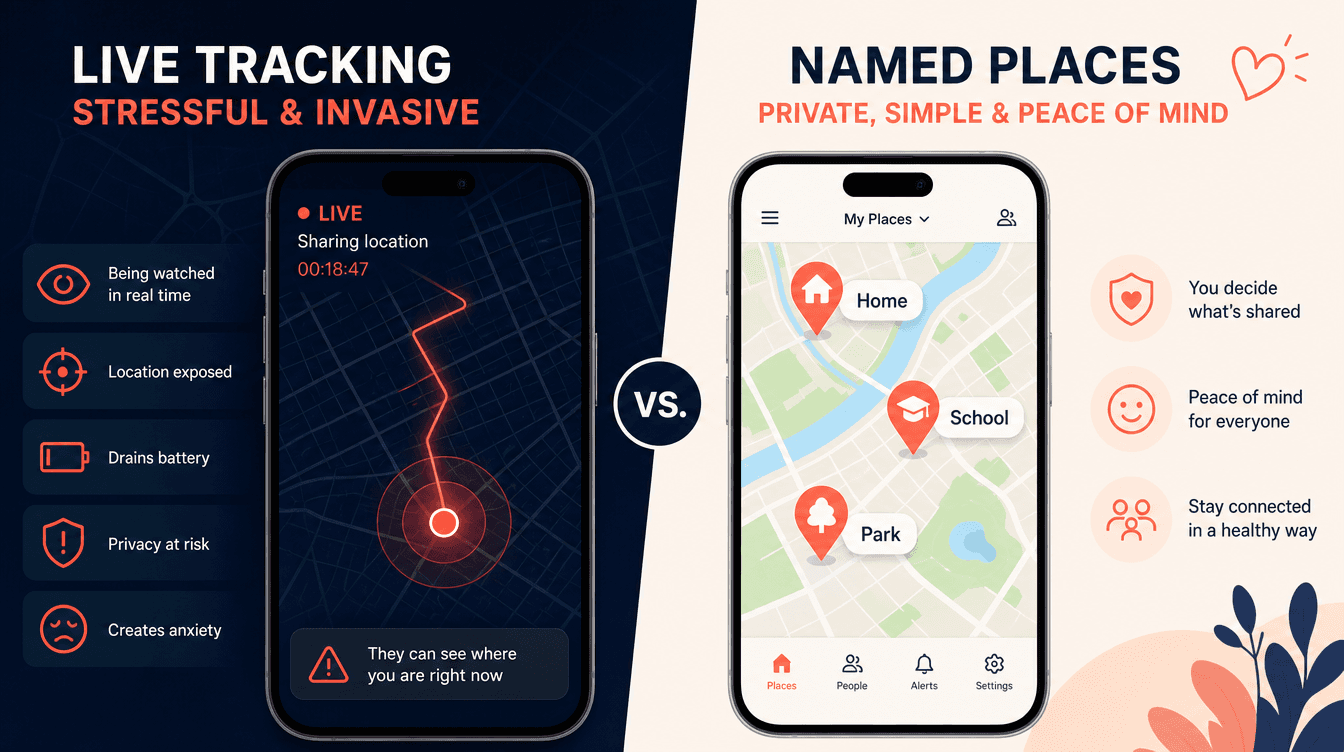
Live tracking vs passive alerts. Life360's primary interface is a live map. You can see where your family members are at any moment. KinLink's primary interface is the notification; you hear from the app when something changes, not when you open it. Both have live map views, but they're the center of the product for Life360 and secondary for KinLink.
Feature depth vs design focus. Life360 has a long feature list: driving scores, crash detection, location history, AirTag integration. KinLink has a focused list: Places Mesh, arrival/departure alerts, check-ins, live map. We've deliberately chosen not to build every possible feature. We'd rather do a few things extremely well.
Pricing. Life360 starts at $14.99/month. KinLink is free at launch.
Privacy posture. Life360 has disclosed that it sells user location data to data brokers. That has been a significant source of criticism and is documented in reporting from multiple outlets. KinLink does not sell user data, and we don't plan to. Our future revenue model is an optional premium tier, not data.
Pairing security. Life360 uses standard account-based pairing. KinLink requires both a unique invite code and a separate PIN generated by the Guardian. Both are required to complete a connection. There is no way to pair silently.
The tone of the relationship
This is harder to quantify, but it matters.
A live tracking screen changes how relationships feel. Teenagers who know their parents can see exactly where they are at any moment report feeling watched, even when their parents aren't looking. The existence of the feature affects the relationship, whether or not it's being used.
Named-place alerts feel different. You're not being watched constantly; you're sharing specific information at specific moments. "I arrived at school" is something a teenager might text a parent. It doesn't feel like surveillance. The arrival and departure alerts that KinLink sends feel, in most cases, like a reasonable exchange.
We think this distinction matters a lot for families with teenagers who are building autonomy and trust. It may matter less for families with young children or elderly parents, where the surveillance framing is less relevant.
Which is right for you
Life360 might be the better choice if:
- You need driving behavior monitoring or crash detection
- You want the deepest possible feature set
- Your teenager is a new driver and you have specific safety concerns about driving
- You need Android support now (KinLink's Android version arrives later in 2026)
- You're already embedded in the Life360 ecosystem
KinLink might be the better choice if:
- You want peace of mind without a live tracking screen
- You're looking for a free alternative to Life360
- Privacy is a priority (no data selling)
- You want an app that feels like connection rather than surveillance
- You're primarily using it for a non-driving use case (middle schoolers, aging parents, family travel)
Both apps serve real needs. The question is which philosophy fits your family.

KinLink Team
KinLink
The KinLink team writes about family safety, trust, and the technology that helps families stay connected without the surveillance dynamic.