A check-in is a Dependent's way of saying they're here and okay. It takes one tap to send, and it can become a Place in one more.
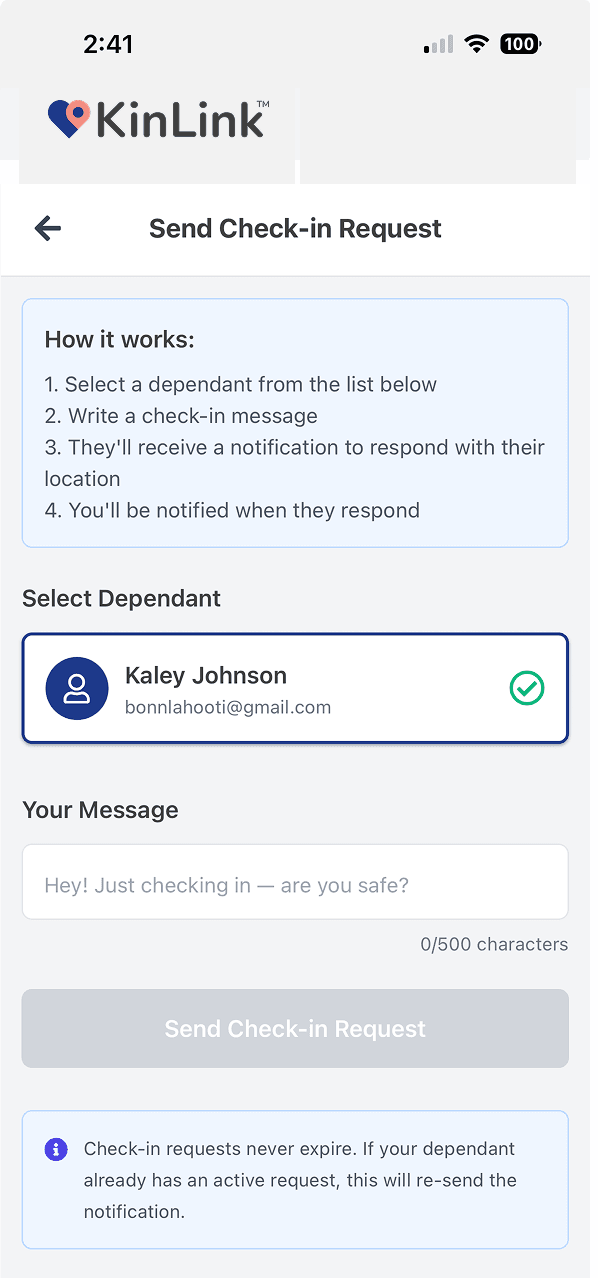
When a Guardian requests a check-in, the Dependent gets a push notification. They tap once. Three things come back to the Guardian automatically.
Precise GPS coordinates, shown on a map in the Guardian's app. Accurate to the device's capability.
A Dependent can add a text message (like "At the library with Jake, home by 6") to give context beyond just a pin.
A quick photo gives even more reassurance. Seeing your teen's face beats reading coordinates every time.
The signature interaction
This is what makes KinLink different. When a check-in comes in from a location you haven't named yet, there's a Create Place button right there in the card. Tap it, and that exact spot (Jake's house, the coffee shop, the volleyball gym) becomes a permanent part of your Places Mesh. Future arrivals and departures get reported by name.
Request a check-in
Receive location + note
Tap 'Create Place'
In real life
Situation: Your teen just left a friend's house
Guardian
Sends a check-in request
Dependent
Taps once and shares location + "On my way home"
Result
Guardian gets a map pin and a note. Relaxes.
Situation: Elderly parent went to a doctor's appointment
Guardian
Sends a check-in request when expected appointment time passes
Dependent
Taps once from the waiting room and shares current location
Result
Guardian sees the clinic location on a map. Creates a new Place: "Dr. Patel's office".
Situation: Teen at a party you don't know the address of
Guardian
Sends a check-in request at 11pm
Dependent
Taps once and shares location + photo
Result
Guardian creates a Place at that address. Gets an alert when they leave.
Join the waitlist and be first to know when KinLink lands on the App Store on October 1, 2026.
Free · No credit card · Launching October 1 on iOS
